What Data Should You Put Into an AI Workflow?
Use data minimization, approved sources, and a simple classification checklist before sending business information to an AI tool.
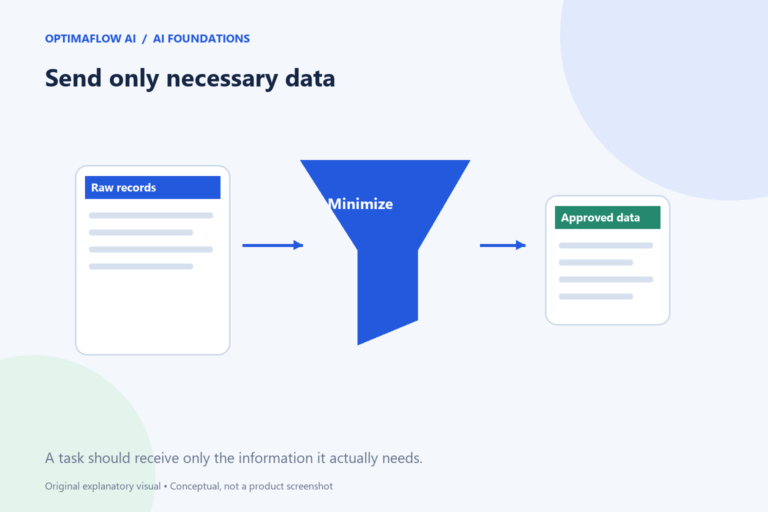
The first privacy question in an AI workflow is often straightforward: does this step need the information you are about to send? A summary task rarely needs every field in a customer record. Choosing a smaller input can reduce exposure and make the result easier to review, while still requiring appropriate service and organizational checks.
Classify the information
Separate public material, internal working information, confidential business data, and sensitive personal information. The labels should match your organization’s actual policies. Public product copy and a private client complaint should not automatically enter the same workflow.
Ask who supplied the data, who may use it, and for what purpose. Access to a document does not necessarily authorize sending it to another service. If you cannot establish permission, use a fictional example and ask the responsible owner before continuing.
Reduce the input to what is necessary
Write the output requirement, then list the fields needed to produce it. To classify an enquiry by service, the workflow may need the request text but not a billing address or identity document. Remove unnecessary identifiers before processing where doing so preserves the task’s meaning.
Anonymization is not as simple as deleting a name. A rare role, detailed incident, or combination of facts can still identify a person. Treat redaction as a deliberate review step and avoid claiming that a record is anonymous merely because one field is blank.
Review the service and destination
Check where data is sent, how the provider describes retention and model training, who can access the workspace, and what controls the selected plan supports. These details vary by service and account type. Do not rely on an assumption carried over from another AI product.
Also inspect downstream destinations. An approved model step can still expose information if its output is copied into a public sheet, email, or log. Draw the full data path, including alerts and error reports, rather than reviewing only the model call.
Use safe test material
Build realistic fictional inputs that reproduce the format and edge cases without copying live private records. A test enquiry can include missing fields, a long message, and contradictory dates. It does not need a real customer’s history.
Keep credentials out of prompts and logs. API keys belong in the platform’s intended credential controls, subject to your organization’s policy. If a workflow needs a secret, document the authorized service and owner without writing the secret into a public process guide.
Document the decision
For a live pilot, record the data categories, purpose, approved services, recipients, retention assumptions, and reviewer. Define what happens if someone submits unexpected sensitive material. A workflow should have a route to stop and escalate rather than spreading that input across more systems.
This is general process guidance, not a legal determination. Consult the appropriate privacy or security owner for your context. Pair this checklist with our process map and documentation template before activating the workflow.
Example: shrinking an enquiry input
A customer record contains contact details, billing address, account notes, and a new service request. If the AI step only classifies the service request, send the approved request text and category instructions rather than the whole record. Keep the contact reference in the authorized system for later handling.
Now inspect the output path. If a failure alert copies the full original record into a broad team channel, the input minimization did not protect that downstream step. Apply the same purpose test to logs, alerts, and review queues. Each recipient should receive the information needed for their role.
What minimization cannot prove
Sending fewer fields does not establish legal compliance or suitability of a provider. It is one practical control alongside authorization, contractual review, access restrictions, and an accurate retention plan.
Frequently asked questions
Is public information always safe to send?
Public availability does not remove every contractual, copyright, or privacy concern. Check the purpose and applicable rules.
Can I paste API keys into a prompt?
Avoid doing so. Use the platform’s intended credential mechanism and keep secrets out of generated content and ordinary logs.