How to Map a Business Process Before Adding AI
Map inputs, decisions, ownership, and exceptions before automating a business process. Includes a practical enquiry example.
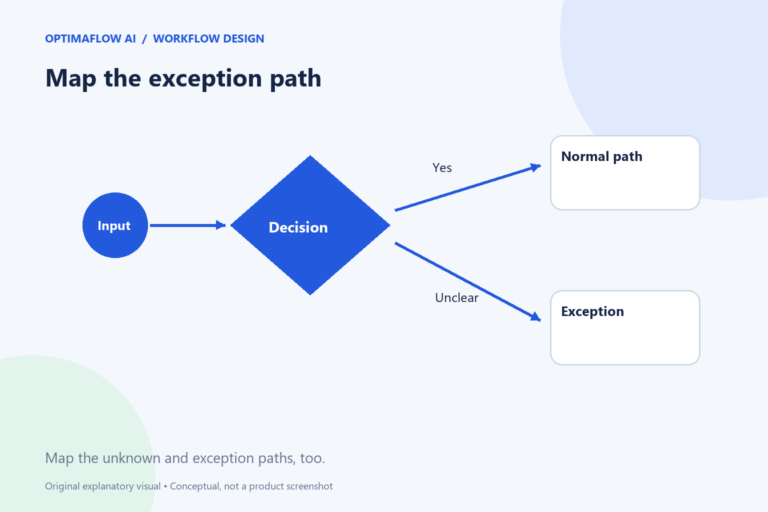
A process map describes how work moves from a request to a completed result. It helps you see where information is missing, where a decision belongs, and where someone waits. Mapping first prevents an AI workflow from making an unclear process run faster without making it better.
Define one start and one finish
Choose a task with a recognizable boundary. “Handle marketing” is too broad. “Turn an approved webinar recording into a draft newsletter” has a useful beginning and end. State what counts as finished: an internal draft, a published page, or a customer response. Those outputs have different review requirements.
For a fictional service enquiry, the start could be a completed form and the finish a reviewed response saved for sending. Payments, contract negotiation, and delivery planning remain outside this map. Explicit boundaries stop a small automation from quietly taking responsibility for the whole customer journey.
Record what actually happens
Ask the person doing the work to walk through a recent ordinary example. Write each action as a verb: read, classify, check, copy, draft, approve. Include the spreadsheet lookup and the message to a colleague, even if they are not documented. Note where work pauses and what information is needed to resume.
Use a table with four columns: step, input, output, and owner. A step that cannot name an output may be an unclear activity. A step without an owner may explain why requests are lost. Do not redesign while recording; capture the current state first so you have an honest baseline.
Put decisions on the map
Separate actions from decisions. “Check the enquiry” hides several questions: is an email present, is the requested service offered, and is the deadline feasible? The first can be a format rule. The second may require approved service information. The third may need a person.
Draw a branch for each meaningful outcome, including unknown. If the service is unclear, request clarification rather than inventing a category. If the record already exists, update or route it instead of creating another one. A diagram with only the happy path is an incomplete description of the work.
Design a smaller future process
Now copy the map and simplify it. Remove unnecessary transfers before adding AI. If two staff members copy the same fields into two trackers, decide which system should own the record. AI summarization cannot solve that ownership problem.
Label proposed AI steps distinctly. State the approved input, expected output, and reviewer. For the enquiry example, the AI might suggest a three-field summary while a person decides the service and response. Keep original messages available so the reviewer can compare the summary with the source.
Use the map to choose a pilot
Pick one reversible improvement and measure it. Record handling time, waiting time, and correction frequency separately. A shorter typing step may not reduce the total time if approval still waits for a day. Test the process with an ordinary request, an incomplete request, and a duplicate.
Save the map with its date and owner. Link it from the workflow documentation so maintenance does not depend on memory. Use our workflow finder to choose a starting approach, then follow the pilot checklist before expanding.
Example: a service enquiry map
Imagine a visitor submits “Can you help us organize support emails?” The form validates the contact field, then the workflow prepares a summary. A staff member reviews whether the service is offered and whether more information is needed. The output is a draft response, not a booked project.
In the current map, a colleague also checks the shared tracker for an earlier enquiry. Keep that step visible. In the proposed map, a stable enquiry reference helps prevent another record from being created on a repeat run. Measure the reviewer’s time, not just how quickly the summary appears.
Common mapping mistake
A polished diagram can conceal a missing owner. Put the responsible role beside each approval and exception. If “needs clarification” returns to an unnamed queue, the process has no clear way to finish.
Frequently asked questions
Which diagram software do I need?
A document, spreadsheet, or paper sketch is sufficient for a first map. Clear labels and ownership matter more than elaborate notation.
Should I map every exception?
Start with common exceptions and any high-impact failure. Add new cases when they appear, rather than pretending the first map is complete.