What to Document So Someone Else Can Maintain Your Automation
Create a concise workflow record covering purpose, permissions, fields, prompts, costs, failure handling, and change history.
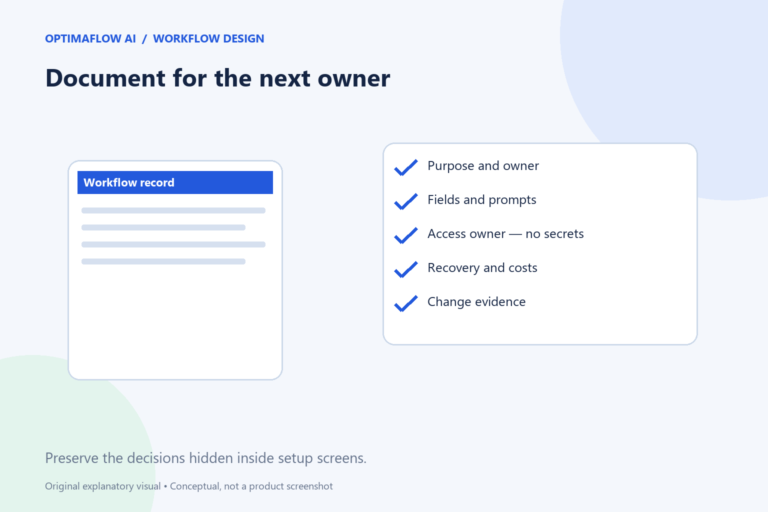
A workflow that only its creator understands is difficult to maintain. Useful documentation lets another authorized person identify the purpose, inspect a failure, and make a controlled change. It does not need to be a large manual, but it should preserve the decisions that are otherwise hidden inside setup screens.
Write a one-page overview
Name the workflow, its owner, trigger, intended result, and scope. State which actions it performs and which still require a person. Link the process map and related operating procedure.
Include the business reason for the workflow. “Connect form to AI” describes components, not purpose. “Prepare a reviewed internal summary for service enquiries” helps a maintainer decide whether a proposed change still serves the original job.
Record the data and action contracts
List required inputs, allowed categories, output fields, and destination mappings. Include one fictional ordinary example and one failure example. Document how missing values and duplicate events are handled.
Store the current prompt or instructions with a version identifier. If a model or output schema changes, the maintainer needs to know what was tested previously. A screenshot of a setup screen can supplement the record, but should not be the only source of the configuration’s meaning.
Describe access without exposing secrets
Identify the authorized service accounts, permission scope, and credential owner. Explain where an authorized maintainer requests renewal or access. Do not include API keys, passwords, or private recovery codes in ordinary documentation.
Record relevant data-handling decisions and downstream recipients. Alerts and logs are part of the data path. A future change that adds a new destination should trigger review rather than silently inheriting approval from the old design.
Make failure handling actionable
Document common failure signs, where to inspect execution details, the retry limit, and the recovery owner. Explain how to check an uncertain destination result before repeating a create action.
Keep a safe stop procedure and a restart checklist. A maintainer should know what queued work remains and how duplicates are prevented. Include the result of representative tests, with their date and environment, without overstating what they prove.
Keep costs and changes visible
Record subscriptions, usage assumptions, maintenance effort, and where current pricing is checked. Update the record when volume or services change. A cost estimate without its assumptions cannot be compared meaningfully later.
Use a brief change log: date, change, reason, affected test, and result. Review the documentation when handing the workflow to another owner. Pair it with our retry guide and measurement guide so maintenance includes reliability and value.
Example: a useful recovery entry
A recovery note identifies the enquiry reference, the failed destination step, the last known state, and the assigned owner. It explains how to check for an existing draft before retrying, and links the execution view without copying private message contents into the alert.
The maintainer records the repair and the test that confirmed it. This preserves the reason for a configuration change and makes a repeat incident easier to diagnose. It also helps a new owner understand which assumptions were actually checked.
Documentation that does not help
A screenshot collection without purpose, field meaning, and recovery steps can become obsolete quickly. Use images as supporting context, while keeping the core decisions in readable text.
Frequently asked questions
How detailed should the document be?
Detailed enough for an authorized maintainer to understand the purpose, inspect failures, and make a controlled change. Link deeper references rather than copying every interface label.
Should I put credentials in the document?
No. Record the credential owner and approved access process, while keeping secret values in the intended secure system.