How to Design a Lead Intake Workflow That Asks Better Questions
Create a lead intake process with useful fields, validation, clear ownership, and a reviewed response instead of an overcomplicated form.
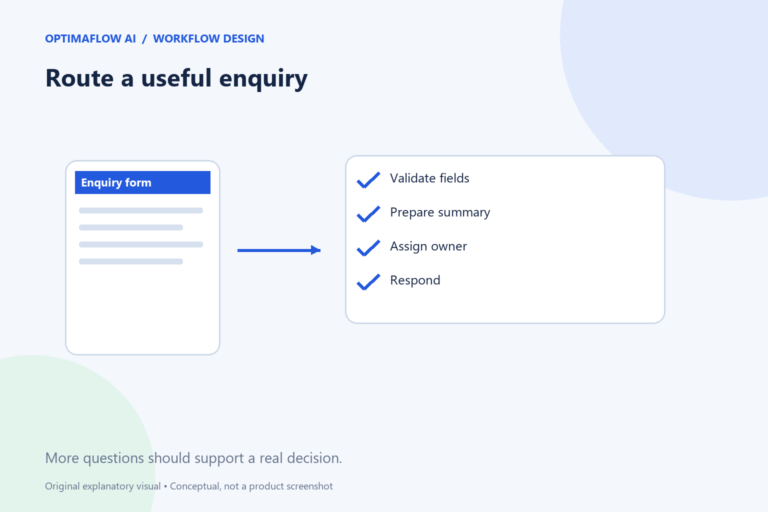
A lead intake workflow should help the business understand a request and help the visitor know what happens next. Collecting more fields does not automatically improve qualification. Start with the information needed to route the enquiry, then ask additional questions only when they support a real decision.
Define the routing decision
Decide what the form needs to accomplish. It might route requests to a service category, identify missing context, or create a reviewed reply draft. Avoid calling a lead “qualified” without defining the criteria and who approves them.
For a fictional automation consultancy, useful initial fields could be contact details, the current task, the desired result, and the systems involved. A long budget questionnaire may be unnecessary if the next step is simply arranging clarification.
Separate required and optional fields
Require only information needed for the first step. Label optional fields clearly and explain unusual questions. If the visitor does not know a technical term, offer plain-language guidance instead of rejecting the request.
Validate format and length before sending text to AI. An empty request or malformed email is a predictable problem. Use normal form validation for it. AI is more useful for summarizing varied descriptions than for checking whether a required field exists.
Summarize without inventing qualification
Ask for a short internal summary using the visitor’s stated facts. Keep an unknown category for ambiguous requests and a review flag for unusual cases. Do not infer business size, purchasing authority, or budget from writing style.
Preserve the original enquiry. A reviewer should be able to compare the summary with the source before making a commitment. If a visitor includes private credentials or unexpected sensitive information, stop ordinary processing and follow an appropriate handling procedure.
Make ownership and response expectations clear
Assign the queue to a named role or responsible person internally. Define who handles missing information and who approves the response. A request can be correctly categorized and still lost if no one owns the next action.
Set a realistic visitor-facing expectation. Do not promise an instant human reply when the queue is not monitored continuously. An acknowledgment can confirm receipt without confirming service availability, a price, or an appointment.
Measure useful completion
Review incomplete submissions, routing corrections, duplicates, and time to a meaningful response. A shorter form may increase submissions while reducing usable information; a longer form may discourage relevant enquiries. Compare results against the actual purpose.
Map the process with our process guide and estimate reviewer effort in the time calculator. Start with a small pilot and inspect a varied sample before adding automatic customer-facing actions.
Example: an incomplete enquiry
A visitor explains the task but does not know which automation platform their company uses. That does not necessarily make the request unusable. The internal summary can preserve the goal and flag the system detail as unknown, while a reviewed follow-up asks for clarification.
By contrast, an invalid contact address prevents a reply and should be caught by predictable validation. Keeping these cases separate helps the form remain approachable without sending unusable records through more processing steps.
A form design trap
Do not require an answer simply because it would be interesting to know. If a field does not support initial routing or the next meaningful step, consider asking it later.
Frequently asked questions
Should AI rank leads automatically?
Use explicit, appropriate criteria and review the consequences. Do not substitute inferred personal characteristics or writing style for legitimate business requirements.
How many fields should the form have?
Enough to support the initial routing decision. There is no universal ideal count; test usability and the quality of the resulting enquiries.