How to Turn Meeting Notes Into Action Items With AI
Extract decisions and action items from approved meeting notes without inventing owners, deadlines, or commitments.
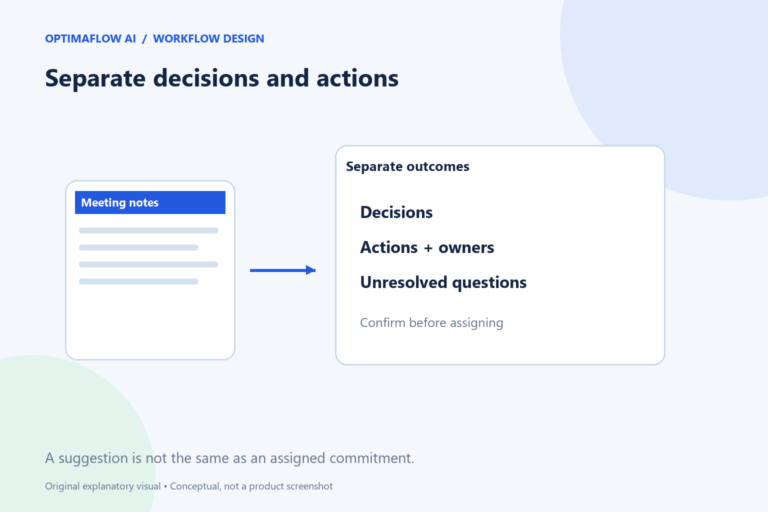
Meeting notes become useful when they distinguish discussion from a decision and a suggestion from an assigned task. AI can help organize the text, but it should not manufacture agreement. A dependable workflow keeps the original notes available and asks participants to verify actions before they are distributed.
Define three output groups
Ask for decisions, action items, and unresolved questions separately. A decision should describe what was agreed. An action should identify the work, owner if stated, due date if stated, and any dependency. Open questions should remain visible rather than being converted into tasks automatically.
For example, “Maybe Jordan could check the supplier” is a suggestion, while “Jordan will check the supplier by Tuesday” is a clearer assignment. Even the latter should be verified against context before it enters a shared task tracker.
Use evidence for each assignment
Require a supporting note or short reference for every action. This gives the reviewer a way to check whether the summary reflects the conversation. Avoid asking for a confidence percentage as a substitute for that evidence.
If the owner or deadline is missing, label it for confirmation. Do not distribute an invented assignment simply because the task list looks incomplete. The reviewer can ask participants to supply the missing details before the record becomes an operational commitment.
Review before creating tasks
Have the meeting owner compare the draft with the source. Check disagreements, changes of mind, and tasks that were canceled later in the discussion. Summaries can overemphasize a statement that was subsequently rejected.
Only create tracker entries after approval. Use a stable meeting reference and action identifier to prevent duplicates when the workflow is rerun. Keep the ability to revise or remove a mistaken draft task according to the tracker’s normal recovery process.
Close the loop at the next meeting
Use the verified list to review progress. Record completed work, changed deadlines, and unresolved questions. The workflow should improve follow-through, not generate a new list that ignores the previous one.
Try a fictional ten-line note first and compare the extracted actions with your own reading. Our structured-output guide helps define the fields, while the duplicate-prevention guide covers repeated task creation.
Example: a changed decision
Early in a fictional meeting, a participant suggests launching on Friday. Later, the group decides to wait for a supplier confirmation. The summary should record the later decision and an open dependency, rather than creating a Friday launch task.
Ask the reviewer to trace each action to its supporting note. If ownership was only suggested, mark it for confirmation. The final output could contain one verified action—request supplier confirmation—and one unresolved question—choose the launch date afterward. That is more useful than a full list of invented commitments.
A dangerous shortcut
Do not interpret every sentence containing a person’s name and a date as an assigned task. Context, agreement, and later corrections matter.
Frequently asked questions
Can AI decide who should own a task?
It can suggest options if requested, but a suggestion must not be presented as an assignment agreed in the meeting.
Should I send the summary automatically?
Use an approval checkpoint until the process and its consequences are understood. Confirm important commitments before distribution.