How to Plan Structured AI Output for a Workflow
Design required fields, allowed values, unknown states, and validation for AI output before sending it to another system.
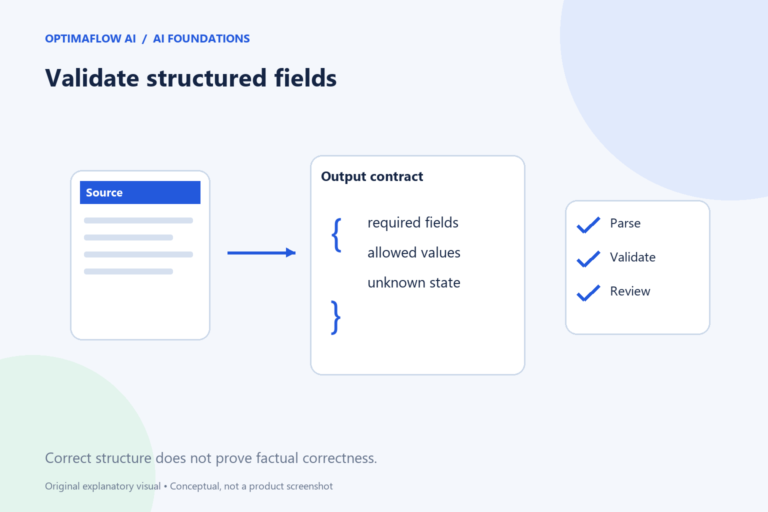
A paragraph is convenient for a person to read, but a workflow often needs fields it can check. Structured output defines those fields and how missing information should be represented. It can make integration clearer, but a well-shaped response is not automatically a factually correct one.
Start with the receiving system
Look at what the destination needs. An enquiry tracker might accept service, urgency, summary, and review status. Define the type and allowed values for each field. A free-text urgency field can produce “as soon as possible,” “high,” and “urgent-ish,” which may be difficult to use consistently.
Write a short description and example for every field. Specify whether a deadline is copied from the input or inferred. For consequential fields, avoid inference unless the process explicitly permits and reviews it. Names alone do not communicate those decisions.
Make unknown a valid state
If a message does not state a budget, the output should not invent one. Decide whether missing information becomes an empty field, a null value, or a separate needs-clarification status. Use a convention the destination can handle.
Distinguish missing from zero. A budget of zero is different from an unstated budget. Similarly, “no deadline” may mean the customer explicitly said none or simply omitted it. Those differences matter when the next step decides whether to ask a question.
Create an illustrative contract
{
  "service": "unknown",
  "summary": "Customer asks about onboarding support.",
  "deadline_stated": null,
  "needs_review": true
}
This is a fictional planning example, not a guarantee that every model will return this format. Use the selected provider’s current structured-output features where available and verify their supported schema rules.
Keep the output contract small. Adding fields that nobody uses increases review effort and encourages unnecessary inferences. Make every field earn its place by naming the decision or action it supports.
Validate before the next action
Check that required fields exist, types are correct, values are allowed, and text lengths fit the destination. Then compare important values with the input. Format validation can catch a missing field; it cannot prove that the summary is accurate.
Route invalid responses to a controlled failure path. Do not silently substitute a confident default for unknown data. If the destination creates customer-facing content, place human approval after validation and before publishing or sending.
Version the output contract
Record the schema version, examples, and receiving fields in the workflow documentation. When a field changes, test both the model step and the destination mapping. A renamed field can produce an empty record even if the AI response looks useful in its own interface.
Use our brief guide to define the task and our troubleshooting checklist when data disappears between steps. Treat the contract as a maintained part of the process.
Example: mapping a review flag
A destination tracker has a review-status field with two permitted values: ready and needs-review. The AI contract instead returns a Boolean needs_review. Add an explicit mapping from true to needs-review and false to ready, then validate the source facts before allowing ready to trigger another action.
Test a missing Boolean and an unexpected text value such as “probably.” Neither should silently become false. The workflow can place the record in needs-review and explain the validation failure. That preserves a useful unknown state while keeping the receiving system’s categories consistent.
A format-only failure
A response may pass all field checks while summarizing the wrong source. Keep the source reference with the output so the reviewer can verify both structure and meaning.
Frequently asked questions
Does valid JSON mean the answer is correct?
No. Syntax and schema checks establish structure. Important content still needs factual validation against the source.
Should I let the model choose any category?
Use an explicit allowed list when the destination expects fixed categories, and include an unknown or review route.