How to Prevent Duplicate Actions in an Automation Workflow
Use stable identifiers, destination checks, and a documented repeat policy to avoid duplicate tasks, posts, or records when a workflow runs twice.
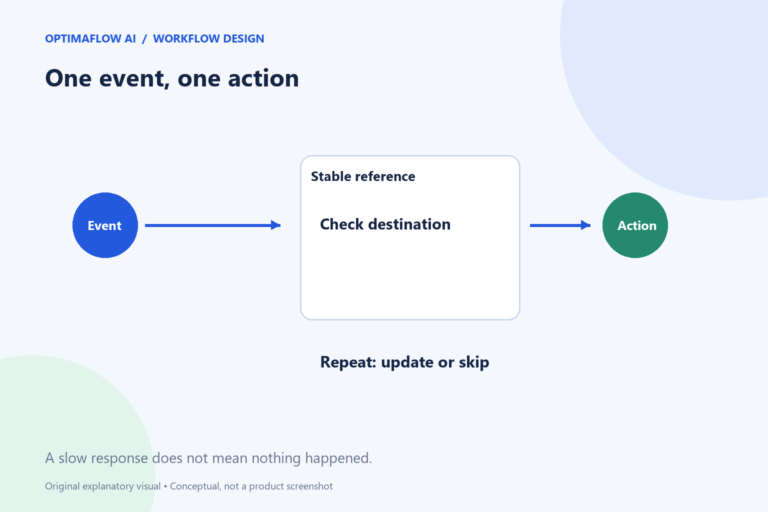
A workflow can run twice for an ordinary reason: a retry, a repeated trigger, or a person clicking again after a slow response. If both runs create a new record, the result may be duplicate work. Plan what repeated input should mean before connecting an action that creates posts, tasks, or customer messages.
Identify the original event
Choose a reference that belongs to the source event, such as an enquiry ID or meeting action ID. A newly generated timestamp on every run does not identify the same event twice. Keep the reference through the workflow so the destination can recognize a repeat.
Define the scope. An enquiry ID may identify the enquiry, while a separate action type identifies a draft response. One source can legitimately produce several different outputs; the reference should distinguish those without treating each retry as a new task.
Check before creating
Look for an existing destination record using the stable reference. If it exists, decide whether to skip, update, or route for review. The correct behavior depends on the task. Updating a draft may be acceptable while resending a customer message may not be.
A search followed by creation can still race when two runs happen simultaneously. Use the destination’s supported uniqueness or idempotency mechanism where available, and inspect its current documentation. Do not claim that a simple lookup guarantees duplicate prevention under every condition.
Treat uncertain outcomes carefully
A timeout means the workflow did not receive a clear response in time. The destination may already have completed the action. Before retrying a create operation, inspect whether the record exists.
Store the returned destination ID when an action succeeds. If the response is lost, use the source reference to reconcile. For high-impact actions, prefer a review queue over guessing. Repetition can be more harmful than a delayed result.
Test repeat scenarios
In an appropriate test environment, submit the same fictional event twice. Test a normal retry and an uncertain response. Confirm which record is kept and what the log reports. Avoid experimenting with repeated real payments or customer messages.
Also test changed input under the same source reference. The workflow may need a version or revision marker to distinguish a legitimate update from a duplicate. Document the policy so another maintainer does not accidentally change it.
Make reconciliation part of operations
Keep enough non-sensitive logging to connect a source event, run, and destination record. Define who resolves conflicts and how corrections are made. A duplicate detection alert is useful only when someone owns the response.
Pair this plan with our retry guide and troubleshooting checklist. Your next step is to write one sentence describing what the workflow does when it sees the same event again.
Example: a timed-out draft creation
A workflow asks WordPress to create a draft and receives no clear response. Before repeating the request, check for the source reference in the intended destination. If a draft already exists, record its ID and route any uncertainty instead of creating another copy.
Now imagine the input text changed after the first run. The repeat policy must distinguish an update from a new article. Use an explicit revision decision, not a new random identifier. This keeps one source event connected to its intended output.
A partial safeguard
A destination lookup can reduce duplicates but may not prevent simultaneous runs from both creating records. Verify the platform’s supported uniqueness mechanism and test the relevant concurrency case.
Frequently asked questions
Is a timestamp a good duplicate key?
Only if it is a stable source timestamp with suitable uniqueness. Generating a new timestamp for each retry defeats repeat detection.
Should duplicates always be deleted?
Not automatically. Inspect the records and their consequences, preserve useful history, and use the destination’s normal recovery process.