How to Use AI for Spreadsheet Cleanup Without Losing the Original Data
Separate deterministic cleanup from AI suggestions, preserve original values, and review ambiguous spreadsheet changes before applying them.
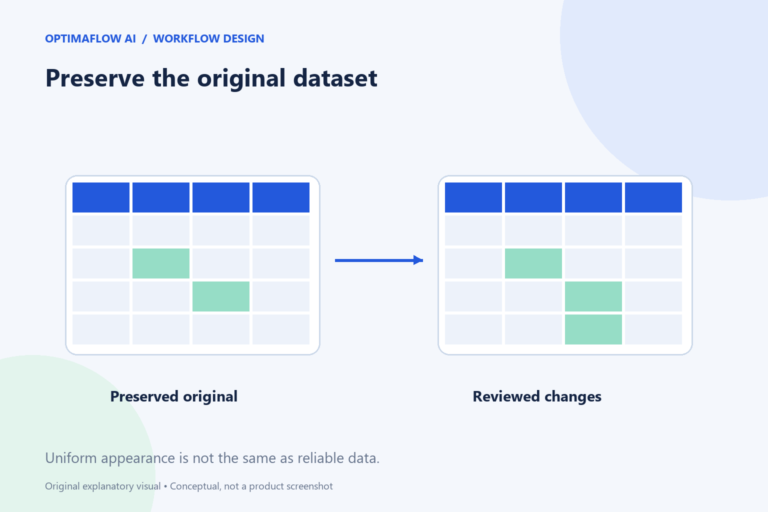
Spreadsheet cleanup often mixes simple formatting problems with uncertain interpretation. Removing accidental spaces differs from deciding that two customer names refer to the same organization. AI can assist with the uncertain parts, but the workflow should preserve evidence and keep proposed changes separate from the original data.
Define the cleanup target
List the actual problems: inconsistent date formats, duplicate rows, empty required fields, category variants, or unstructured notes. State the intended format for each affected column. “Clean the sheet” gives neither a person nor AI a clear completion rule.
Identify which columns must remain unchanged. Account identifiers and reference numbers may look like ordinary text but have operational meaning. Formatting them as numbers can remove leading zeros or alter a value unintentionally.
Preserve original values
Work on a copy or use the spreadsheet’s appropriate version and recovery controls. For suggested changes, keep original value, proposed value, reason, and review status in separate columns. This makes the transformation inspectable.
Do not send a private workbook to an AI service without permission and a suitable data-handling review. A fictional sample can reproduce the column structure and ambiguity. Use only the fields needed for the task.
Apply exact rules first
Use standard spreadsheet functions or supported cleanup features for predictable operations such as trimming unnecessary spaces or normalizing a known category list. Validate the result against examples, including values that should not change.
AI is more appropriate for proposing a category from open-ended notes or suggesting possible matches. Even then, require a reason and an unknown state. A confident-looking match is not proof that two records represent the same entity.
Review ambiguity and duplicates
Define what makes a duplicate in this dataset. Identical email addresses may be relevant in one list, while separate transactions legitimately share a customer. Deleting rows based on one field can lose valid records.
Review uncertain matches with the source context. Keep a decision log for merge, retain, or request clarification. When the consequence affects customer access, money, or official records, involve an appropriate responsible person rather than automating the decision casually.
Validate the cleaned dataset
Compare row counts, required-field completeness, and a sample of transformed values. Check downstream imports before replacing the working dataset. A sheet that looks tidy can still violate a destination’s field rules.
Document the cleanup rules so the next import follows them consistently. Use our field-contract guide and data checklist. The goal is reliable information with traceable changes, not merely a more uniform appearance.
Example: a possible company match
Two rows say “Northbridge Studio” and “Northbridge Studios.” AI may suggest they are the same company, but the sheet alone may not prove it. Keep both originals, show the suggested match, and request review using authorized source information.
A separate exact cleanup rule trims an accidental trailing space. That rule is easier to validate because it does not decide identity. Keeping deterministic cleanup and uncertain matching apart helps reviewers concentrate on the changes that need judgment.
Do not delete by appearance
Similar names or repeated customers do not make transactions duplicates. Define the dataset’s record identity before merging or removing rows, and preserve a recoverable original.
Frequently asked questions
Can AI safely merge duplicate contacts?
It can suggest candidates, but the match criteria and consequences need review. Preserve originals and inspect ambiguous cases.
Should I normalize every value automatically?
Only when the rule is clear and appropriate for that field. Identifiers, dates, and meaningful distinctions can be damaged by broad formatting changes.