How to Turn a Standard Operating Procedure Into a Workflow
Translate an SOP into triggers, inputs, rules, approvals, and recovery steps while preserving the judgment the procedure requires.
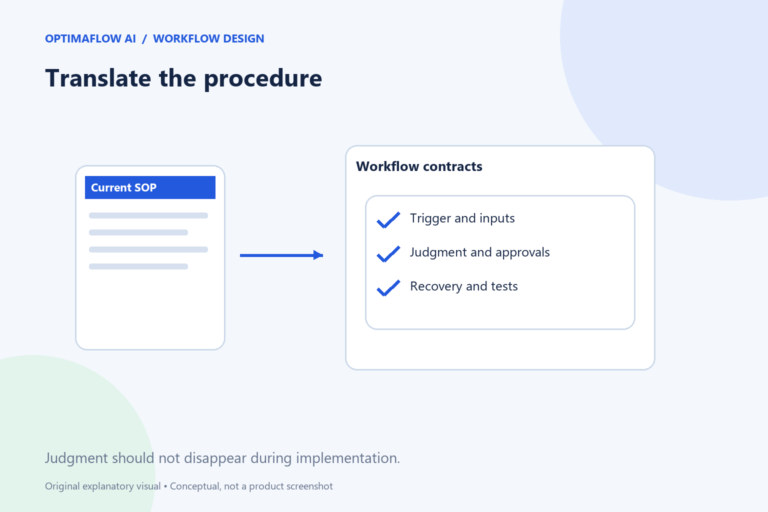
A standard operating procedure describes how work should be done. A workflow implements some of those steps in a system. The translation is not automatic: an SOP often contains judgment, exceptions, and tacit assumptions that need to be made explicit before a tool can act on them.
Check whether the SOP reflects real work
Ask the current operator to compare the procedure with a recent example. Note unofficial steps, obsolete screens, and decisions the document assumes are obvious. Automating an outdated SOP can standardize the wrong process.
Choose one section with a clear result. An entire onboarding procedure may be too broad for a first implementation. Preparing a reviewed welcome draft from an approved customer record is a narrower starting point.
Translate each step into a contract
For every step, define the input, action, output, and owner. Replace “check the details” with specific questions. Which fields are required? Which values are allowed? What does a failed check produce?
Separate instructions that can be fixed rules from those requiring interpretation. AI may help summarize text, but a business approval remains a decision with an accountable owner. Do not hide it inside a generic “AI review” box.
Keep approvals and exceptions
Identify actions that publish, send, grant access, or make commitments. Place the appropriate approval before those actions. State what evidence the reviewer sees and how approval is recorded.
Give exceptions a destination. An incomplete record can create a clarification task. A conflicting instruction can pause for the process owner. The workflow should not skip these cases merely because they were described in a footnote of the SOP.
Implement a small slice
Build the minimum path with a reversible output. Use fictional or authorized test input and compare the result with the SOP. Record where the implementation cannot reproduce the intended behavior safely.
Test a normal case, a missing-input case, and a repeated trigger. If a procedure assumes a person notices duplicates, the automated version needs an explicit substitute or a review checkpoint. That assumption cannot simply disappear.
Maintain the SOP and workflow together
Record the workflow version next to the procedure version. When the SOP changes, identify affected rules, prompts, fields, and tests. When the workflow changes, update the operator’s instructions so the document remains useful.
Use our process map before implementation and the documentation guide afterward. A maintained relationship between procedure and system makes future repairs easier.
Example: clarify an approval instruction
An SOP says “send the welcome information after checking the account.” Translate that into explicit checks: required fields present, service confirmed, and approval recorded by the responsible role. The workflow can prepare the draft while the person confirms the account conditions.
If the SOP does not define approval, ask its owner rather than inventing a rule. Record that decision in both the procedure and implementation. The technical workflow should not become the only place where a business policy is defined.
Avoid silent scope expansion
Connecting one SOP step does not authorize every later action. Keep the intended result and approval boundaries explicit as the workflow grows.
Frequently asked questions
Can AI convert an SOP into a complete automation?
It can propose a map or draft configuration, but permissions, app behavior, exceptions, and approvals still require verification.
What if the SOP is unclear?
Resolve the ambiguity with the process owner first. Automation should not turn an unclear instruction into an unreviewed business rule.