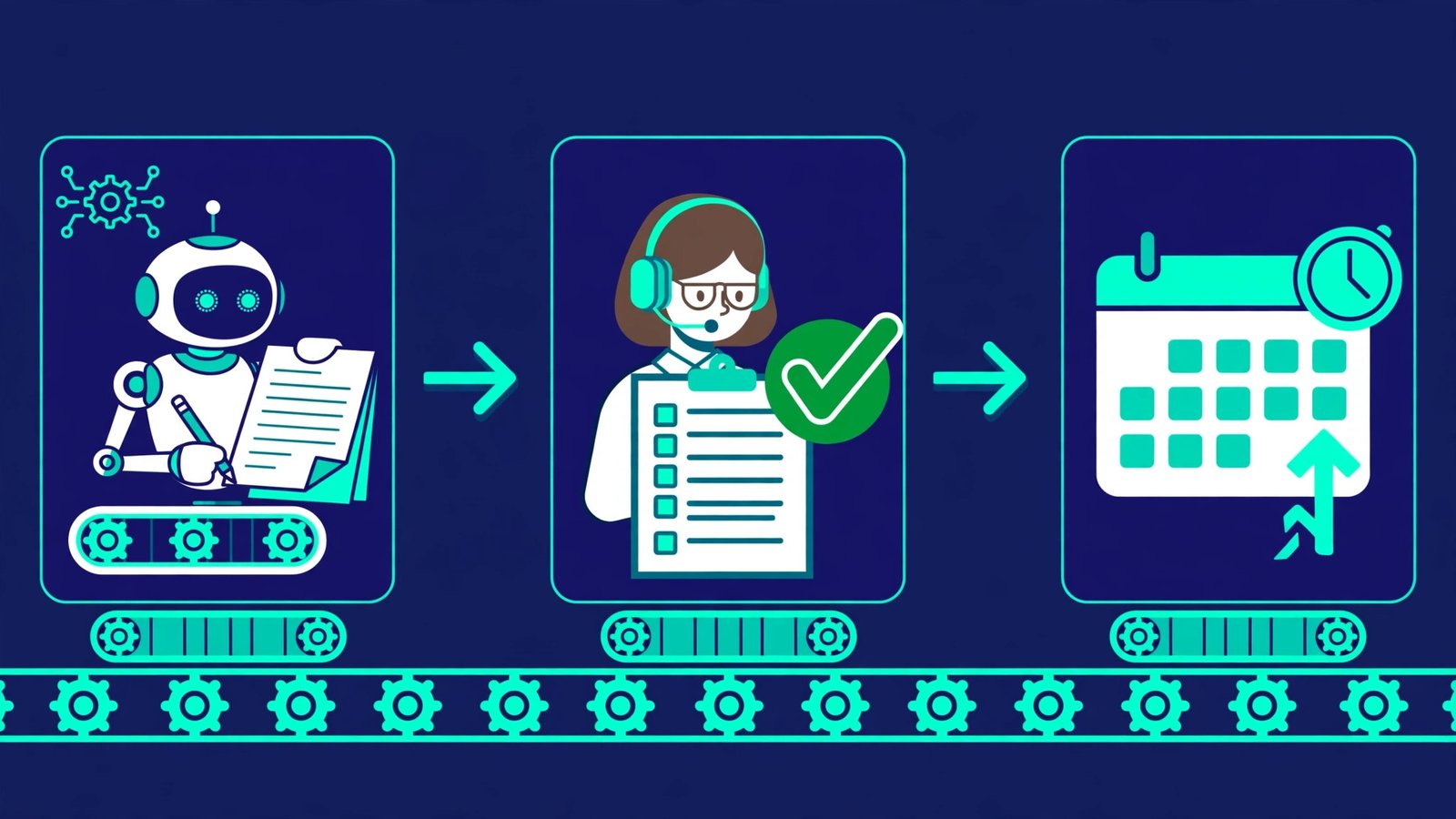
Yes, you can automate WordPress publishing with AI — but the setup that actually works automates drafting and scheduling, not judgement. AI writes the first draft, a human reviews it against a short checklist, and WordPress publishes the approved post on a schedule. That review gate is the whole system: without it, automation publishes mistakes at machine speed.
I run this pipeline every day on this site: one guide a day, drafted with AI, checked by a human, published on a fixed schedule. It is not the most automated setup possible — a fully hands-off pipeline exists, and I deliberately do not use it. This guide walks through the pipeline I actually run, why the review gate sits where it does, and the failures I have learned to catch before readers see them.
What does an automated WordPress publishing pipeline actually look like?
A working pipeline has five stages, and only three of them are automated. First, a topic queue — one topic per publishing day, chosen in advance, so nobody is deciding what to write at the last minute. I keep mine as a simple calendar with a target keyword, a category, and one original angle per topic; the queue is the cheapest quality control in the whole system, because a good topic decided calmly beats a rushed topic every time.
Second, AI writes the first draft from a fixed brief: word count, target keyword, the exact structure (direct-answer opening, question headings, FAQ at the end), and one concrete example or test. A fixed brief matters more than a clever prompt, because the same brief every day is what keeps quality consistent.
Third, the draft lands in WordPress as a draft — never published, never scheduled yet. Fourth, a human reviews it against a short checklist (the gate in the fourth section below). Fifth, the approved post is scheduled for a fixed publishing time, and WordPress takes it live. After publishing, one last check: open the live page as a logged-out guest and confirm it renders correctly.
Notice what is not in that list: no bulk publishing, no auto-publish on draft creation, no queue that fires ten posts at once. The pipeline moves one post at a time, one day at a time. That restraint is a feature, not a limitation — Google rewards steady publishing, and readers trust a site that never has a bad day in public. That is what it means to automate WordPress publishing with AI safely: automate the movement of drafts, not the judgement about them.
Which parts of publishing should AI handle — and which must stay human?
Give AI the work that is mechanical and checkable: first drafts, outlines, meta descriptions, title variations, internal-link suggestions, alt text for images, and FAQ drafts. AI is fast at all of these, and every one of them gets checked downstream anyway.
Keep for humans everything that can damage trust: facts, dates, statistics, claims, links, and the final publish decision. AI invents links with total confidence — in a citation test I ran across two chatbots, roughly one citation in eight was dead or did not support the claim attached to it, and the failures looked perfectly real. A human who clicks every link before publishing catches that in two minutes; an automated publisher ships it to readers.
The dividing line is simple. Anything that can damage trust — facts, claims, links, and the final publish decision — stays human. If a mistake would embarrass you in front of a reader, a human checks it. If a mistake would only cost you a rewrite, AI can draft it. The review gate exists because AI errors are plausible errors — the wrong statistic, the slightly wrong date, the link to a page that exists but says something else. Those are exactly the errors no spellchecker catches and no reader forgives twice.
How do you set up the draft-to-scheduled pipeline step by step?
Step one: build the topic queue. A spreadsheet or a calendar note with the topic, keyword, category, and angle. Plan a week ahead, one topic per day, and never let the queue run dry — an empty queue is how rushed, thin posts happen.
Step two: generate the draft with the fixed brief. Use ChatGPT, Claude, or Jetpack AI Assistant inside WordPress itself; the tool matters less than the brief. Paste the result into the WordPress editor and save it as a draft. Set the post status to Draft explicitly — this is the step that stops an accident from becoming a published post.
Step three: run the review gate (next section). Fix what it catches, and re-read after fixing.
Step four: schedule. In the post editor, change “Publish immediately” to the date and time you want, then click Schedule. WordPress holds the post and publishes it at that time. If you publish on a fixed schedule — same time every day — readers and search engines both learn when to expect new content.
Step five, for teams that want more automation: the WordPress REST API. A POST to /wp-json/wp/v2/posts with status set to draft creates a draft programmatically, using an application password for authentication (Users → Profile → Application Passwords). That is the safe automation boundary: machines create drafts, humans approve them. Never let AI publish straight to live: every post passes through draft status first, and only a human moves it to scheduled. Anything that posts straight to publish status through the API is a loaded gun pointed at your homepage.
One genuine gotcha: WP-Cron only fires when somebody loads a page, so on a quiet site a 6 a.m. scheduled post can sit unpublished until the first visitor arrives. WordPress documents this behaviour itself. The fix is a plugin like WP Scheduled Posts, which checks for missed schedules, or a real server cron job that pings wp-cron.php every few minutes.
What does the human review gate check before a post goes live?
The gate is a checklist, and it takes about ten minutes. First, facts: every date, statistic, and claim verified against its source — not against the AI’s word for it. Second, links: click every single one and confirm it opens to the page that supports the claim. Third, search basics: the target keyword in the title, the first hundred words, and one H2; a category assigned (never Uncategorized); a one-sentence excerpt written. Fourth, the image: does it match the title and the topic, and is it set as the featured image? Fifth, read the post aloud once, start to finish — you will hear clumsy sentences your eyes skip.
The rule that makes the gate work: the reviewer can only approve or send back. There is no third option of quietly fixing a fact and publishing without re-reading, because the fix itself can introduce a new error. This guide went through exactly this pipeline: AI first draft, this checklist, then scheduling. The review is the product — the automation just moves paper around it.
What breaks most often — and how do you catch it?
Missed schedules are the classic failure, covered above: WP-Cron needs traffic, and a quiet site misses its slot. A plugin that checks for missed schedules, or a real cron job, fixes it permanently.
Second, invented links. AI will hand you a URL that looks exactly right — sensible slug, plausible path — and leads nowhere. The review gate catches it, but only if the gate actually clicks the links. PublishPress Checklists can enforce the gate inside WordPress by blocking the Schedule button until checklist items are ticked.
Third, duplicate topics. When the queue is managed by hand and the archive grows past forty posts, it gets easy to write the same guide twice with a different title. Before drafting, search your own site for the keyword — if a guide already covers it, write the genuinely different angle or skip the topic.
Fourth, the bulk temptation. Once you automate WordPress publishing with AI, the pipeline makes publishing so smooth that ten posts a day starts to look efficient. It is not: thin, rushed posts published in bulk are the fastest way to teach Google your site is low quality. One quality post a day, every day, beats ten posts once a week.
The catch-all is the post-publish guest check. After every scheduled post goes live, open it logged out: one header, one footer, one image at the top, FAQ expanding, links working. Two minutes, and it catches every failure the checklist missed.
Who does what: every pipeline stage, automated or human
The pipeline has five stages, and the table below is the whole system on one screen. Read it as a rule: anything in the human column is there because a mistake in it damages trust, and anything in the automated column is there because a human checks it downstream anyway.
| Pipeline stage | Who does it | What happens |
|---|---|---|
| Topic queue | You, with AI suggestions | One topic per publishing day, chosen in advance, with a target keyword, a category and one original angle |
| First draft | AI, from a fixed brief | Word count, keyword, structure and one concrete example or test, fixed in advance so every draft comes out the same shape |
| Review gate | You | Facts, links, search basics, image and a read-aloud, about ten minutes per post |
| Scheduling | WordPress native scheduler | The approved post goes live at a set time, no plugin needed for this step |
| Publish and verify | WordPress, then you | Check the live post once: title, image, links and formatting, the way a reader sees them |
The most common mistake is moving the review gate. Teams that automate drafting first usually try to automate review next, because review is the slowest stage. It is the slowest stage on purpose: it is the only stage that catches an invented link or a wrong date before readers see it. Measure the pipeline the way our guide to measuring automation results describes, and the review gate is the stage whose time you protect, not the stage you cut.
The plugins, compared: what each one actually does
Every plugin below does one job. Pick by the job you need, not by the feature list: a drafting plugin will not enforce your review gate, and a checklist plugin will not write a draft.
| Plugin | What it does | Cost | Best for |
|---|---|---|---|
| Jetpack AI Assistant | Drafts inside the WordPress editor, from a prompt, without leaving the post | Paid (Jetpack AI subscription) | Drafting without leaving WordPress |
| Uncanny Automator | Connects WordPress to other tools, so a form submission or a spreadsheet row can create a draft | Free; Pro (paid yearly licence) | Multi-step workflows across tools |
| PublishPress Checklists | Blocks the Schedule button until every checklist item is ticked | Free; Pro available | Enforcing the review gate inside WordPress |
| WP Scheduled Posts | Calendar view and missed-schedule protection for scheduled posts | Free; Pro available | Reliable scheduling on a quiet site |
| Zapier / Make | External automation: an AI tool creates a draft in WordPress through the REST API | Free tier; paid plans | Connecting AI tools that live outside WordPress |
Two setup facts matter more than the choice of plugin. First, send every AI-generated post to WordPress as a draft, never straight to live: the WordPress REST API accepts five statuses (draft, pending, publish, future, private), and draft is the only safe default for AI content. Second, give the connected tool an application password, not your admin password — WordPress has supported application passwords since version 5.6, and you can revoke one at any time without changing your own login. Budget the tools the way our automation cost planning guide describes, and check each plugin’s current price on its own page before you buy — prices change, and the free tier is usually enough to test the workflow.
What breaks, and how you catch it before readers do
Every failure below has a symptom you can see before a reader complains, if you know where to look. The table is the monitoring list: run down it once a week and the pipeline stops surprising you.
| Failure | First symptom | How you catch it | Fix |
|---|---|---|---|
| Missed schedule | The post still shows “Scheduled” after its publish time | A missed-schedule plugin, or a daily glance at the Posts list | A real server cron job instead of WP-Cron, which only runs when someone visits the site |
| Invented link | A link that looks exactly right and leads nowhere, or to the wrong page | The review gate clicks every link before scheduling | Re-check the claim against its source; remove any link you cannot verify |
| Duplicate topic | The same guide twice, under two different titles | Search the archive before adding a topic to the queue | Keep one version; merge or redirect the other |
| AI publishes without review | A post goes live with errors nobody saw | The post status in the API call reads “publish” instead of “draft” | Set the API boundary at draft; give the tool a Contributor-role account, which can write drafts but cannot publish |
| Formatting breaks | Headings or lists render wrong on the live post | Read the live post once after it publishes | Fix in the editor and re-check; the draft preview is not the same as the live page |
The Contributor-role point is worth spelling out, because it is the cheapest safety net in WordPress: a Contributor can write and manage its own posts but cannot publish them, so even a misconfigured tool can only drop drafts. With the Author role, the same tool can publish its own posts — which is exactly the accident the draft boundary exists to prevent. When the pipeline works, the saving is real: our guide to workflow automation cost savings and ROI shows how to put a number on the hours a draft-to-scheduled pipeline returns.
Frequently asked questions
Can AI publish directly to WordPress without a human?
Technically yes — the WordPress REST API accepts a post with status set to publish, authenticated with an application password. Practically, you should not. The moment AI can publish without review, a hallucinated fact or invented link goes live to readers before anyone sees it. Keep the API boundary at draft status and let a human press Schedule.
Which WordPress plugins automate publishing?
Jetpack AI Assistant drafts inside the editor; Uncanny Automator connects WordPress to other tools so a form submission or a spreadsheet row can create a draft; PublishPress Checklists enforces the review gate before scheduling; WP Scheduled Posts catches posts WP-Cron missed; Editorial Calendar gives you the visual queue. None of them should publish without a human — use them to move drafts, not to skip review.
Does scheduling a post instead of publishing immediately hurt SEO?
No. Google sees the published date and time, not how the post got there — a scheduled post is identical to a manually published one once it is live. What hurts SEO is inconsistency: publishing five posts one day and none for two weeks. A fixed daily schedule is better for rankings than bursts, which is exactly what this pipeline produces.
How many posts a day should you automate?
One quality post a day is the right pace for a small site — it is what this site publishes, and it is sustainable alongside a real review gate. More than two or three a day, and the review gate becomes a rubber stamp: nobody does a careful ten-minute check five times a day, every day. If the gate cannot keep up, the automation is too fast, not the reviewer too slow.
Why did my scheduled WordPress post publish late?
Because WordPress scheduling runs on WP-Cron, which only fires when somebody visits your site. On a quiet site the publish slot can slip by hours. A missed-schedule plugin catches it, or a real server cron job replaces WP-Cron entirely. Check the site timezone too — a wrong timezone publishes at the wrong hour even when the cron fires.
What user role should an AI publishing tool get?
Contributor. A Contributor can write and manage its own drafts but cannot publish them, so even a misconfigured tool can only drop drafts. With the Author role the tool can publish its own posts, which is the accident the draft boundary exists to prevent. Connect the tool with an application password, never your admin password, so you can revoke its access at any time.
Should I label AI-assisted posts as AI-written?
Say how the post was made: drafted with AI, checked by a human. The WordPress project published its own AI Guidelines in February 2026 backing disclosure and human oversight, and a short note in your editorial policy — or on the post itself — is enough. Readers trust a labelled process more than an unlabelled one, and the label costs you nothing.
Was this guide helpful?
Tell us what needs improving →
Your selection stays on this page. To send feedback to the publication, use our contact form.
About this publication
From OptimaFlow AI
Practical guides to AI, automation, and better everyday workflows. We use illustrative examples and original diagrams, with AI-assisted writing and illustrations.
Read our editorial approach →About OptimaFlow AI